Skip to content
Hexawords

Three-Letter TilesTrigraph Tiles game for kids, free online

Can you read trigraphs? You can master the next level of reading with the trigraph tiles! You’ll learn to read and write many new words.

Play Three-Letter Tiles online for free! This fun and educational game helps kids improve their math, logic, and problem-solving skills. Try more math games, puzzle games, and word games below.

Three-Letter Tiles
Share this game:WhatsAppFacebookXPinterestEmail
🍎 Teachers: embed this game on your class website or blog

Copy this code into Google Sites, a class blog or any web page. It is free.

How to play Three-Letter Tiles

Can you read trigraphs? You can master the next level of reading with the trigraph tiles! You’ll learn to read and write many new words.

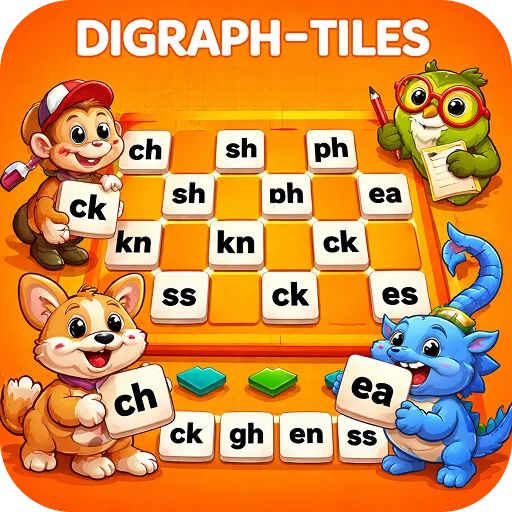
To use the trigraph tiles, simply click, drag, and drop one of the three trigraphs onto the grid. Then, write a word with it using the rest of the letters in the alphabet. Write, draw, and erase on the grid using the pencil and eraser tools. Clear the grid using the trash can tool. You can also remove letters and trigraphs by clicking, dragging, and dropping them off the grid.

The trigraph tiles help young students improve their reading skills. Trigraphs are sounds written with three letters. “Dodge,” “itch,” and “night” are three examples of words with trigraphs. Use the trigraph tiles for learning with these fun activities:

Ask students to write as many words with the trigraphs as possible. You could even make it a friendly competition between two small groups!

Challenge students to write a sentence using at least one word spelled with a trigraph.

Write out words using trigraph tiles and have students read them.

Use the pencil tool or alphabet tiles to spell words incorrectly. Then, have students spell them correctly using the trigraphs. For example “cach” should be “catch.”

Want tips and strategies? Read the full How to Play Three-Letter Tiles guide.
Three-Letter Tiles FAQ

What is Three-Letter Tiles?

Three-Letter Tiles is a free online trigraph tiles game for kids. Can you read trigraphs? You can master the next level of reading with the trigraph tiles! You’ll learn to read and write many new words.

How do you play Three-Letter Tiles?

To use the trigraph tiles, simply click, drag, and drop one of the three trigraphs onto the grid. Then, write a word with it using the rest of the letters in the alphabet. Write, draw, and erase on the grid using the pencil and eraser tools. Clear the grid using the trash can tool. You can also remove letters and trigraphs by clicking, dragging, and dropping them off the grid.

Is Three-Letter Tiles free to play?

Yes. Three-Letter Tiles is 100% free on Hexawords. There is nothing to download and no account is needed.

Can I play Three-Letter Tiles on a phone or tablet?

Yes. Three-Letter Tiles runs in the web browser on iPhone, iPad, Android, Chromebook, Mac and Windows. Use the Full screen button for the best experience on small screens.

What skills does Three-Letter Tiles help with?

Three-Letter Tiles helps kids practise teacher tools, virtual manipulatives, literacy tools while having fun, and also builds focus and problem-solving.

About Hexawords games

How do these games help in learning?

Our games are designed to combine fun and education, improving skills like problem-solving, creativity, critical thinking, and subject-specific knowledge such as math, science, and language arts.

Are these games aligned with school curriculums?

Yes, many of our games are developed with educational standards in mind, making them a perfect supplement to classroom learning.

Can teachers use these games in the classroom?

Definitely! We offer teacher tools and resources, including multiplayer games, lesson aids, and progress tracking, to make classroom learning interactive and engaging.

How do these games help improve critical thinking?

By presenting challenges and puzzles that require logic, strategy, and creative solutions, our games help Users develop essential critical thinking skills.

What devices are supported?

Our games are compatible with PCs, Macs, iPads, Android tablets, and smartphones.

Is an internet connection required to play?

Most of our games require an internet connection, but we also offer offline options for specific activities.

Are these games safe for Users to play?

Yes, all our games are designed with kid-friendly content and adhere to strict safety and privacy standards.

Do I need to download any software to play the games?

No downloads are required! All games are browser-based and can be accessed on any device with an internet connection.

Can these games be played on mobile devices?

Absolutely! Our games are optimized for desktops, tablets, and mobile devices, ensuring a seamless experience on all platforms.

Explore a world of fun

Start exploring today and give your kids the tools they need to succeed while having a blast along the way.

▶ Play Now

Blogs

Dive into a world of creativity, learning, and fun with our expertly curated blog about educational games. Here, we share insights, tips, and strategies to help parents, teachers, and learners get the most out of our games.

Frequently Asked Questions

What are the best educational games for kids in 2026?

Top trending games include AI-powered games, math puzzles, word games, and coding games that make learning fun and interactive.

Are these games free to play?

Yes! All our games are free and accessible online for kids of all ages.

How do online games help kids learn?

Online educational games boost problem-solving, logic, math, and language skills while keeping learning fun and engaging.